
Planning quality
How much of the day was planned ahead and how much was spontaneous — by day, week, and month.

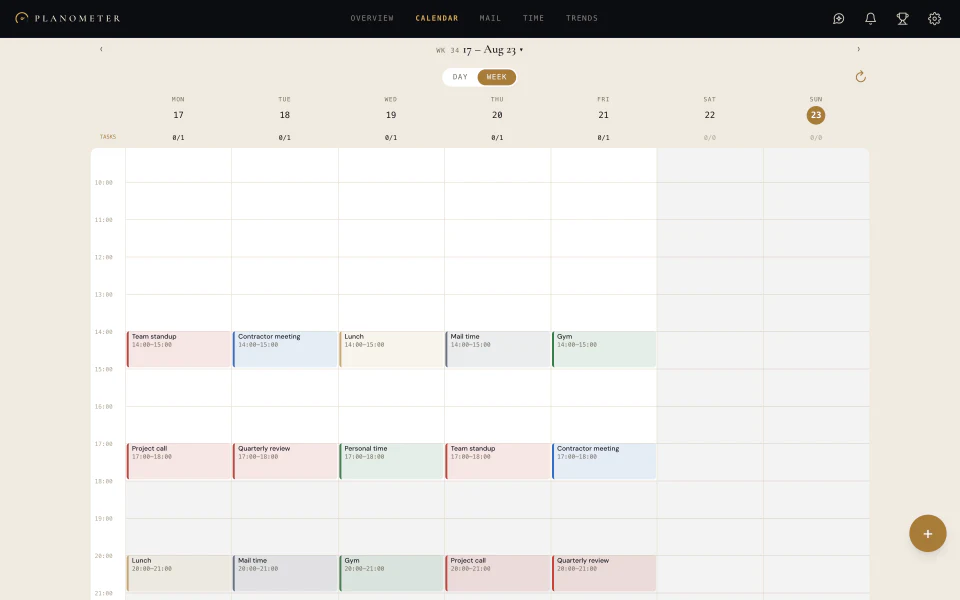
Your calendar and tasks in full: create, move and finish things right here — the changes go back to your own calendar.
Planometer measures how much of each day was decided in advance, how often you move things, and where the hours go. Nothing to keep separately.
Planometer is a planner for iPhone, iPad, Mac and the web. The app and the score are free, with no subscription; AI features run on credits you earn for green-zone days or buy.
How much of the day was planned ahead and how much was spontaneous — by day, week, and month.
Which events and tasks move from one day to the next, and how that affects your planning.
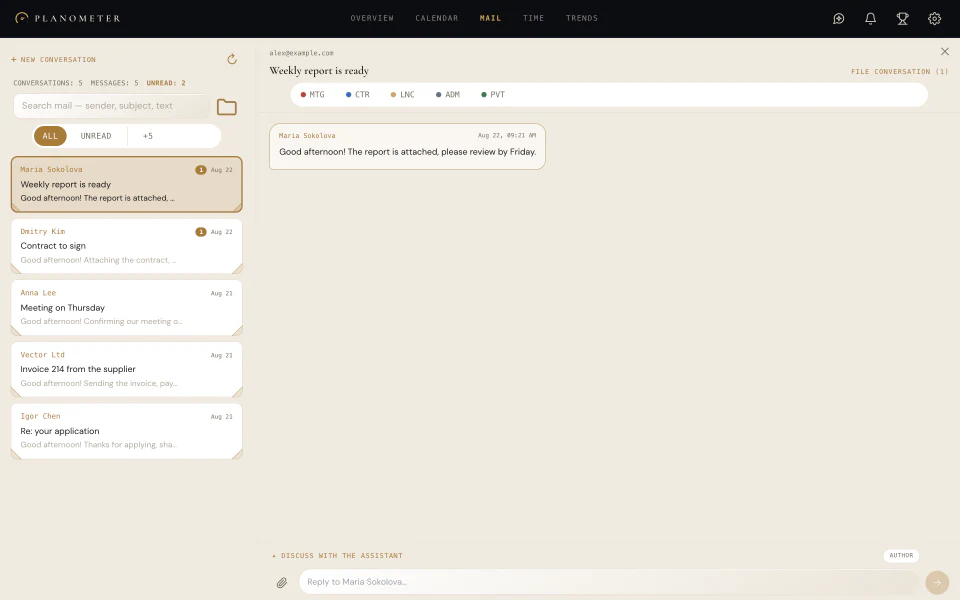
Prefix the title with a short code or assign a marker in the app, and your hours split by activity: meetings, admin, warehouse, personal — following your own setup.
One number from 0 to 100 for the day's planning discipline. What it is made of stays visible — no black box.
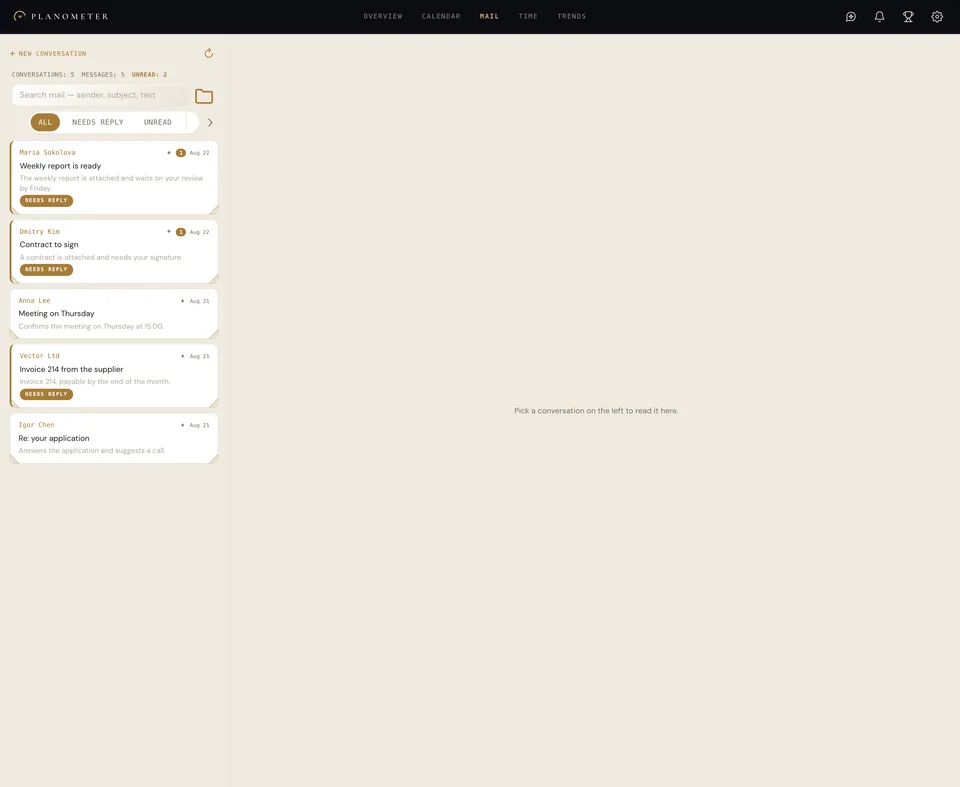
One subject, one conversation. New mail at the bottom, the reply right there. Quotes are collapsed, attachments stay in place — and the same markers used by events and tasks.
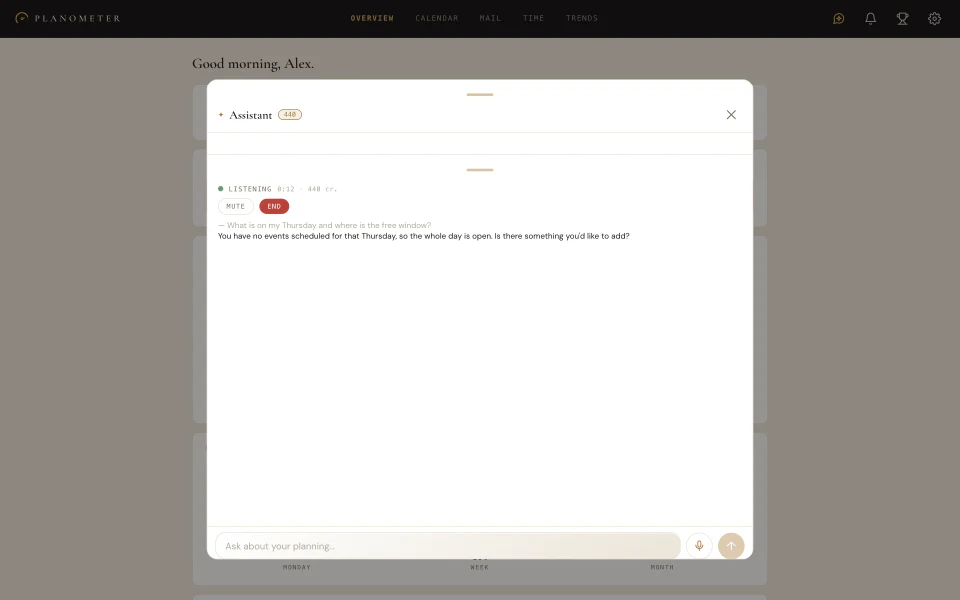
It answers from your events, tasks, mail, and metrics. It can spot overload, suggest a reschedule, or create something — but changes nothing without your confirmation. And before you ask it anything, it has already read your incoming mail — every message on its own.
Ask where the week went, or tell it to move a meeting. Every answer comes only from your account data.
Speak naturally: the assistant listens, replies, and keeps a live transcript. It asks before taking any action.
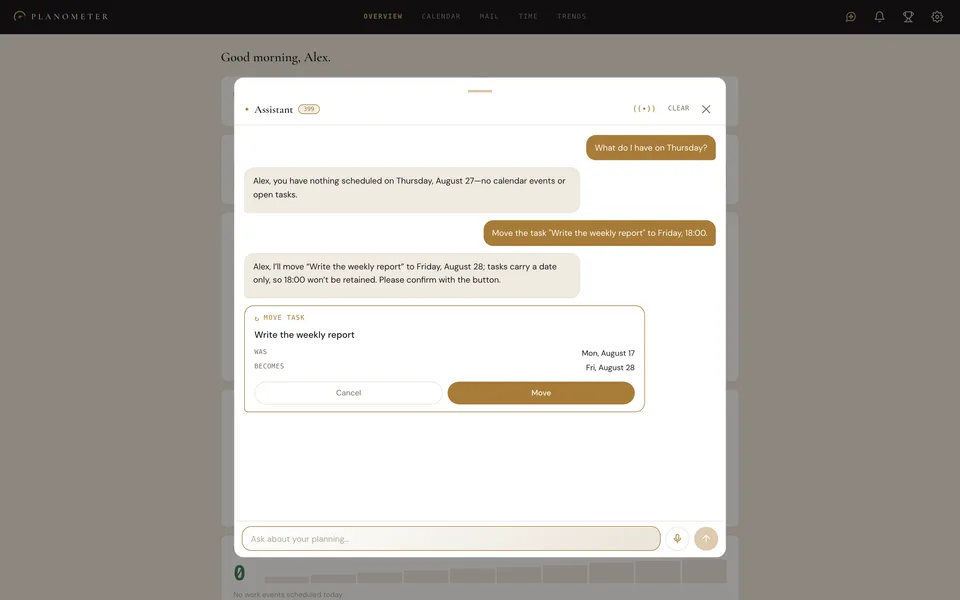
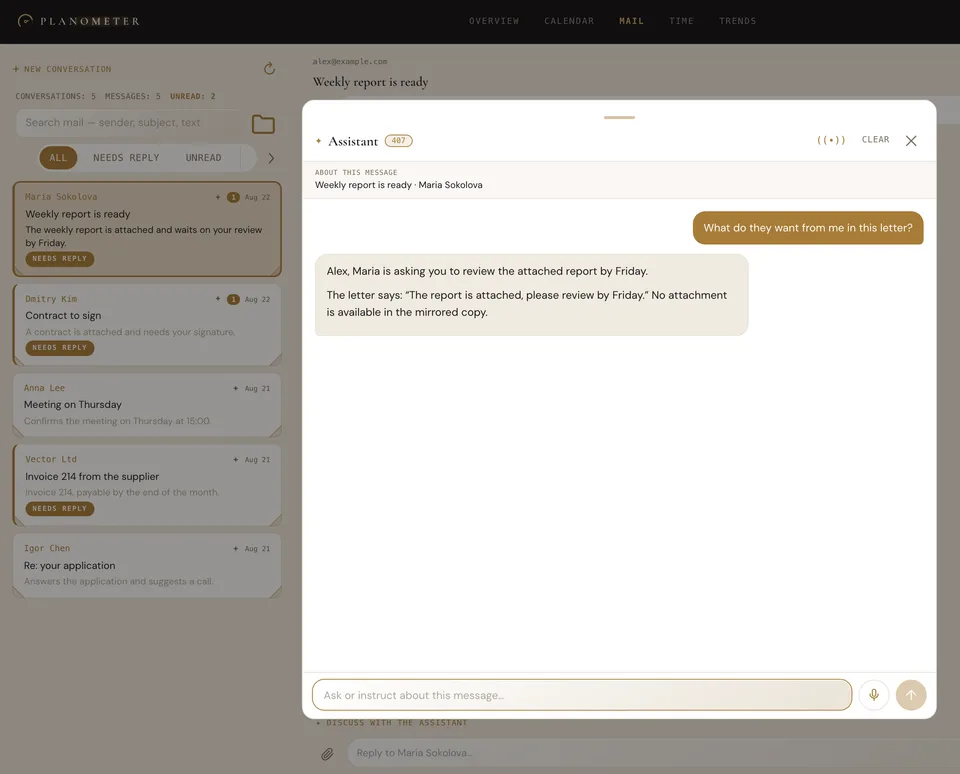
Open a conversation and press “Discuss with the assistant” — it sees that letter and answers from it, not from your whole mailbox. A drafted reply lands in the input field: you are the one who sends it.
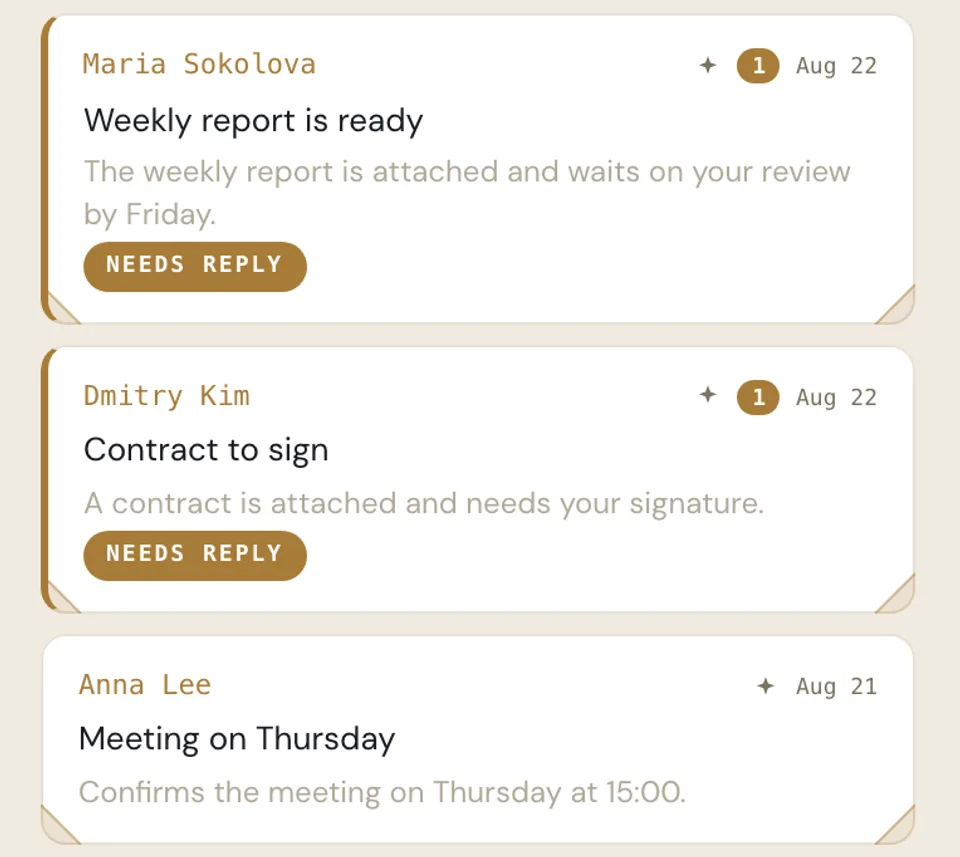
One line saying what is inside — instead of “Good afternoon, please find attached”. And a mark on the letters waiting for your answer. Each message is read separately, not the thread as a whole.
Nothing to keep separately. Planometer mirrors events, tasks, and email, then turns their history into clear feedback.
Google or any CalDAV — iCloud, for instance. Mail connects over IMAP. Planometer mirrors events, tasks, and messages, and computes the metrics from them.
Create, move and finish things right here — the changes go back to your calendar.
The day's score, day, week, and month coverage, reschedules, and observations about your habits — the full picture in a clear format.
Planometer reads your events, tasks, and mail to compute your own metrics, and nothing else. Your data is never sold and never used for advertising. Every account sees only its own data, and deleting your account deletes the mirror with it.
Yes. The calendar, tasks, mail and the score are free, with no subscription. Only the AI features run on credits: briefings, the assistant, mail summaries. Credits are earned for green-zone days and sold in packs.
How much of the day was planned in advance and how often things were moved. From 0 to 100; 70 and above is the green zone. It is not a productivity rating: what the score is made of is always visible.
Google Calendar and Google Tasks, iCloud Calendar, Apple Reminders and Planometer’s own lists. Changes go back to your own calendar.
Yes. Connecting changes nothing by itself; events are created and moved only when you do it.